Showing posts with label jQuery. Show all posts

Saturday, May 15, 2021

A Beautiful jQuery Drop-Down Menu For Blogger Blogspot

This time, we are going to make a stylish and simple jQuery drop down menu. The main objective is to make it as simple as possible, with some little jQuery effect and easy to customize/ apply different style on it. To style it into your own design, you just have to modify the a tag CSS style. You can change colors or put background images, or the size and color of text.

jquery menu, menu blogger

Read More

Friday, May 14, 2021

How to add Css/Jquery fixed horizontal menu to blogger blog

This navigation bar gets semi-transparent when you scroll down the page and is slightly showing up by fading out and becoming almost transparent. When the user hovers over it, the menu becomes opaque again.

Inside of the navigation there are some links, a search input and a top and bottom button that allows the user to navigate to the top or bottom of the page.


Let's start adding it...

Read More

Thursday, May 13, 2021

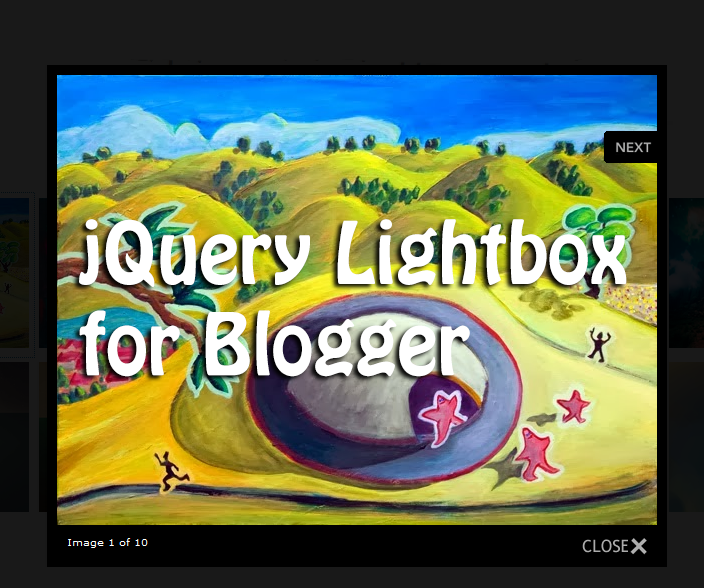
How to add a Custom jQuery Lightbox To Blogger

 If you are not satisfied with the default lightbox set up by Blogger, here's another amazing way to show off your images. I have already shown you in one of my previous tutorials how to customize the Blogger lightbox by changing the background color, borders or text color, but this tutorial will show you how to replace it entirely with a really cool jQuery Lightbox plugin that is very popular among bloggers.


What this lightbox does is to display larger versions of the images that will pop up into a larger box when we click on them and lets us to easily navigate through a set of images using the previous and next buttons.


jquery lightbox, blogger plugins

To see a demo of it, please visit this page and click on any image to enlarge.
Read More

Wednesday, May 12, 2021

How to add jQuery Sliding Panel with Expanding/Collapsing Content for Blogger

Many times when we think about making a blog, we want to put many gadgets, although many are not necessary, or perhaps only a few of them. But to add the gadgets that we want, we need to have enough space. A solution would be using an expanding/collapsing menu that is hidden and expands when the user clicks on it.

Originally, this plugin called Sliding Login Panel was created so that users could register on the site, but as we know, in Blogger we don't have the option to add a user registration, however, that doesn't mean that we can't take advantage of this plugin and use it to add other elements, such as a menu, search box, social icons, feed subscription etc.

Sliding Panel Menu Using JQuery

You can find a demo of this panel in this blog - just click on the Open menu link on the top.

Read More

Using JQuery + EasyDrag to Move Elements or Images by Clicking on Them

 This is one way to make your site more interactive so that readers can "play" with certain elements of the page being able to drag from one side to another within the container in which they are, i.e. can drag the images with a script that will allow them to move from one place to another within the blog.


To create this effect on images


Login to your Blogger account, go to Template and click the Edit HTML button:

Read More

Tuesday, May 11, 2021

How to Add a Tiny jQuery Circleslider to Blogger

 Tiny Circleslider is a small jQuery plugin generating a circular carousel of images that we can slide infinitely (circular). When clicking on the red dot, the main picture moves to the left and another set of images will slide out. There is noting complicated about using this type of carousel, however when it's about customizing it, it's necessary to use a bit of arithmetic. All these details can be found in the author's homepage, so I'll just limit myself to show you the basics.

Adding the Tiny Circleslider to the Blog


In order to make it work, first task is to add the javascript jQuery library in our template:

Step 1. From your Blogger's dashboard, select your blog

Step 2. Go to Template and click the Edit HTML button:

Read More

Sunday, May 9, 2021

How to Add Static Facebook Pop Out Like Box with Smooth Jquery Hover Effect

 In this tutorial i will show you how to add a cool floating Facebook like widget for Blogger that slides to the left on mouseover. Demo: You can see a static facebook badge at the right side of this blog


Read More

Friday, April 30, 2021

How to Add jQuery Sliding Panel with Expanding/Collapsing Content for Blogger

 Many times when we think about making a blog, we want to put many gadgets, although many are not necessary, or perhaps only a few of them. But to add the gadgets that we want, we need to have enough space. A solution would be using an expanding/collapsing menu that is hidden and expands when the user clicks on it.


Originally, this plugin called Sliding Login Panel was created so that users could register on the site, but as we know, in Blogger we don't have the option to add a user registration, however, that doesn't mean that we can't take advantage of this plugin and use it to add other elements, such as a menu, search box, social icons, feed subscription etc.
Sliding Panel Menu Using JQuery
You can find a demo of this panel in this blog - just click on the Open menu link on the top.

Read More